Sunday, April 29, 2007

Hints And Pitfalls In Database Development (Part 3): Database Programming Requires More Than SQL Knowledge

First of all, "knowing SQL" is a rather broad term. SQL basics can be taught within a day, but gaining real in-depth SQL know-how, including all kind of database-specific extensions, might take years of practice.

Then there are always plenty of ways of how to build a solution in SQL, and only a small subset of those are really good ones. It is important to be aware of the implications of certain SQL constructs - which kind of actions the database engine has to undertake in order to fulfill a given task.

Let me provide a little checklist - those are things every database programmer should know about in my opinion:

  • ANSI SQL and vendor-specific additions (syntax, functions, procedural extensions, etc). What can be done in SQL, and when should it be done like that.
  • Database basics (ACID, transactions, locking, indexing, stored procedures, triggers, and so on).
  • Database design (normalization plus a dose of pragmatism, referential integrity, indices, table constraints, stuff like that).
  • Internal functioning (for instance B-trees, transaction logs, temp databases, caching, statistics, execution plans, prepared statements, file structure and requirements for physical media, clustering, mirroring, and so on).
  • How do certain tasks impact I/O, memory and CPU usage.
  • Query optimizer: what it can do, and what it can't do.
  • Error handling, security (for example how to avoid SQL injection, ...).
  • Database tools: profiling, index tuning, maintenance plans (e.g. backup and reindexing), server monitoring.
  • Interpretation of execution plans.

Previous Posts:

Follow-Ups:

Thursday, April 05, 2007

Hints And Pitfalls In Database Development (Part 2): Let The Database Enforce Data Constraints

Letting the database enforce data constraints might sound obvious, but as a matter of fact I had to listen to some people just a few months ago who advocated checking for referential integrity within business code instead of letting the database do so, because "foreign keys are slow" - I mean geez, what kind of nonsense is that?! I don't know, they probably forgot to define their primary keys as well, hence didn't have any index for fast lookup (*sarcasm*).

No other entity is better suited to safeguard data integrity than the database. It's closest to the data, it knows most about the data, and it's the single point every chunk of data has to pass through before being persisted.

And I am not only talking about primary keys and foreign key constraints. I put all kinds of checks on my databases, for example unique compound indices whenever I know that a certain combination of column values can only occur once. Or table constraints that enforce certain rules on the data which are being checked by the database on each insert and update. Triggers are another possibility, but care must be taken - they might be slower than table constraints.

Setting up constraints usually is quite easy, easier than implementing the same rules in business code. Of course performance matters, and it is important to balance costs and benefits. I do not recommend to code complex SQL-statements within constraint checks - they should be limited to simple logical expressions.

During application development, the database will scream immediately when data integrity rules are being violated. In the unlikely case that such a programming mistake slips through into production code, the customer will be confronted with some error message, but his data is unendangered, any you will find out about it immediately and can provide a fix at no time - not months or years later, when data corruption would have occurred, which then might have been impossible to repair. This has saved us on several occasions.

Plus you never know if other clients are going to be manipulating data in the future, clients that might not be aware of the existence of those data rules. Data normally lives longer than application code.

Previous Posts:

Follow-Ups:

Monday, March 19, 2007

Hints And Pitfalls In Database Development (Part 1): Missing Indices

I have been involved in a lot of database tuning lately. This has partly to do with the fact that some of our databases simply outgrew the originally anticipated data dimensions. Furthermore I sometimes have to deal with application modules from "external contributors".

So I am trying to sum up some of my experiences on database development over the years in a little mini-series. Most of those things should be quite obvious to many developers, others might be piece of news for one or the other. I will fall back into some SqlServer terminology at times, but many principles should apply to any major database.

So let me start with the number one reason for bad database performance:

Missing Indices

It's just amazing how creating indices tends to be forgotten again and again. I don't know, it might have to do with the fact that on 4th dimension platforms like Microsoft Access, where a lot of folks come from, they did not have to worry too much about indexing. Databases were kind of smaller there, and the database schema wizard most likely made any foreign key an index by default anyway.

I often hear the argument that "indices are going to slow down our updates". Well I don't know what is worse, slowing down updates by a factor of 0.1, or slowing down queries a factor of 100. The numbers vary of course. And it is true, indices that will not be applied by the query optimizer hence won't lead to any performance gain should not be introduced in the first place. The best way to find out is to have a look at the query execution plans, and see if the indices are being actually being used.

So in general, foreign keys and other query criteria fields are candidates for indices, with the exception of attributes with small value ranges like booleans or a tiny set of numbers, large varchar columns and tables with a small number of rows.

But sometimes even "golden rules" of when to create or not to create indices can turn out to be wrong. One of those rules is to avoid indices on columns with sparse value distribution, like a status attribute with 5 different values. But I experienced a case when the query optimizer made completely wrong assumptions about row counts for one of those status values. I added an index on this column, which implicitly induced statistic maintenance, and that in turn helped the optimizer to make the right decisions.

That being said, it is undoubtedly important to avoid excessive index creation, as this can lead to performance penalties during inserts, updates and deletes.

In addition, composite indices can lead to major speedups as well, when applied to tuples of columns which are typically jointly queried (note: leftmost index columns must all appear in a query for the index to be applied).

The good news is: you are not alone. There are plenty of tools which help finding a good indexing strategy. I start up SqlServer's Database Engine Tuning Advisor (formerly known as Index Tuning Wizard) quite frequently, and in addition I have several schema check scripts at hand which - among other things - look for missing indices, e.g. on foreign key columns.

And: Indices must be rebuilt frequently. This serves two purposes: (1) The index nodes then have a fill factor for optimal balance between read and write performance, and (2) Index rebuilding updates index statistics as well. Outdated statistics can be a major cause for slow query performance.

Follow-Ups:

Tuesday, March 13, 2007

Automatic CompSci Research Paper Generator

SCIgen is a program that generates random Computer Science research papers, including graphs, figures, and citations. While the content is completely gibberish, this did not stop SCIgen's creators from submitting to and presenting the generator's work at conferences. Conferences with such low submission standards that they accepted the papers.


Those folks did not even bother to take a look at the auto-generated slides before giving their talk, they just went along - absolutely priceless!

Monday, March 05, 2007

Windows For Warships 3.11

News of the day: British Royal Navy T45 destroyers to be equipped with Windows 2000.


From the text:

Windows platforms may be troublesome to maintain, but most civilian sysadmins simply wouldn't believe the resources the navy can throw at problems. A present-day Type 42 destroyer carries at least four people who have absolutely nothing else to do but care for the ship's command system. As of just a few years ago, this was still a pair of antique 24-bit, 1MHz machines each with about 25KB of RAM.


There may also be perfectly valid criticisms to be made regarding Windows usability. When triggering missile decoys with seconds to spare, one doesn't need a superfluous pop-up box saying "Do you want to use soft kill?" with "Confirm" and "Cancel" buttons. But this kind of thing isn't going to faze you if you're used to entering instruction sets such as "PE L5414.10N L00335.67E R6000 TMDA [INJECT]" from memory without backspace or delete. During combat, mind. The one group of users to whom Windows 2000 might look pretty marvellous are RN warfare operators.

Friday, March 02, 2007

Why Great Coders Get Paid Far Too Little

Kevin Barnes picks up a similar topic I was talking about the other day - the question why great coders get paid far too little. Very insightful posting, just as some statements from the comments section. Let me quote:

Also, the industry keeps complaining about a labor shortage, while employees complain about a job shortage. I finally got to the bottom of this. Industry is finding a shortage of good people, whereas crappy people can’t get jobs. Universities, with dropping enrollment in engineering programs, are lowering standards so that more people can train to be engineers. Poor engineers enter the job market, can't get jobs, and when they do, they lower the overall pay range. As a result, good people see low wages and a job shortage, and go into other fields, increasing the problem.


Great coders do not fit in typical organizational hierarchies. Because the hierarchy rarely recognizes the value produced by higher quality developers until they are gone.


I've been in this market for over 20 years. What I noticed is that in 90% of the cases, the manager has no clue who is good and who's mediocre. Mostly, he criteria is based on how each one advertise himself.


The difference between programmers, doctors and lawyers is that if a doctor or a lawyer is mediocre you will notice it pretty soon. With the programmers, only time will show the truth.

Tuesday, February 27, 2007

Why Can't Programmers... Program?

Excellent piece of writing today from Jeff Atwood, who poses the question how on earth the majority of applicants for a programming job can't even solve the most basic tasks, let's say implement a linked list, or a simple SQL join. Yeah I know there is java.util.LinkedList, but guess what, I have seen people iterating over a LinkedList in a counting loop using get(int index) on each element. Can you say O(N2)? That's just my point! That's why sites like The Daily WTF never run short of stories on "curious perversions in information technology".

So I openly admit that just like Jeff I am getting increasingly tired of being affiliated with a profession where let's say

  • 4 out of 10 people don't know how to code at all

  • another 4 out of 10 people know how to code (kind of), but don't know how to design software systems

  • which leaves 2 out of 10 people who are actually qualified for what they are doing

What's really ironic is that underperformers often slip through the recruitment process quite easily, while some of top notch folks won't because they expect a somewhat higher salary, a nice working environment or an interesting project assignment.

This usually happens when interviewing is exclusively done by human resource folks or other people who are not capable of letting candidates do some sample coding right on the spot, and who have never heard about Joel Spolsky's "The Guerrilla Guide to Interviewing" or the fact that the best developers are ten times more productive (that is ten times more features or the same feature-set ten times faster, with ten times fewer errors) than the worst (which refers to "the worst qualified" who might still be considered for doing the job - and many empirical studies compare people coming from the same training or working in the same team).

I can't imagine this is usual in other areas (imagine that e.g. in the medical field). It must have to do with the unique nature of software development. And the fact that many decision makers don't quite grasp how it works.

Monday, February 19, 2007

EBay'ed A PDP 11 CPU

Yet another show-piece for my computer museum, and that for only 25GBP, a real bargain! ;-)


I think this chipset comes from the PDP-11/84 series.

Wednesday, February 14, 2007

The Power Of Google

Two weeks ago, my car began bucking. First only when starting to go or when switching gears, later on it also happened randomly just while driving. At my repair shop they changed the spark plugs, and also informed me that the clutch was a little loose, but fixing it would turn out quite expensive, and might actually not pay off any more considering the age of the car.

Unfortunately the bucking did not stop, it got worse. I asked for advice again, and once more the mechanic recommended repairing the clutch. Originally I had been planning to buy a new car in the second half of 2007, so that would probably have meant to prepone that purchase. So I started skimming through car sales notes already...

In a final attempt, I invoked a Google search on my car's model and construction generation, as well as several keywords describing the behavior. Hundreds of online forum posts showed up. I took a look at the first results which included possible explanations, and did a quick count on which parts might be involved. Seven out of ten postings listed "exhaust gas regulation valve" (I hope that's the term in in English), others such as "lambda probe", "fuel filter", "spark plugs" or "injector" scored between one and four (some articles specified several causes).

At this point I should probably mention that I have absolutely no clue about cars in general, and just a very rough idea what an "exhaust gas regulation valve" might even be. But I went back to my repair shop and told them to give the exhaust gas regulation valve thingy a shot instead of fiddling with the clutch. They did, and sure enough the valve turned out to be the root cause.


Thank you Google!

Wednesday, February 07, 2007

System Calls On HTTP Request

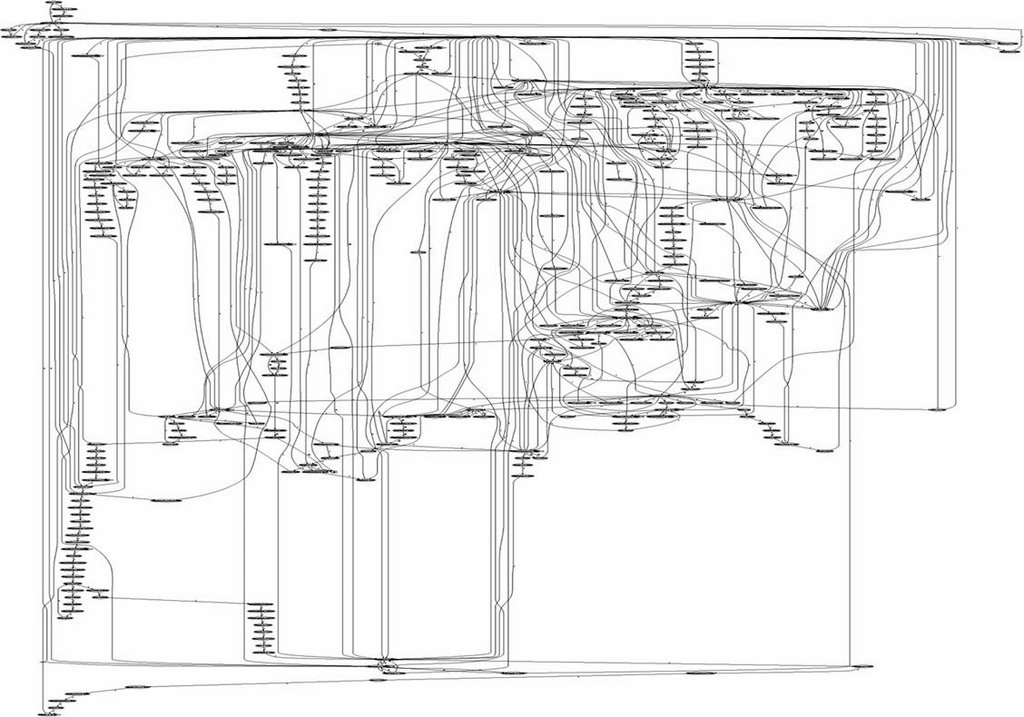
I slightly doubt the claim that comparing the number of system calls while processing two HTTP requests on Linux/Apache and Windows/IIS inherently proves that Windows is less secure than Linux, but those two call graphs alone are worth looking at.


Linux/Apache


Windows/IIS


Thanks to Richard Stiennon for this visualization, nice idea.

Monday, February 05, 2007

SOAP: The S Stands For "Simple"

Pete Lacey pretty much sums up the horror I have gone through during the last five years when it came to web service integration.

[...]

Developer: (Reads XML Schema spec). Saints preserve us! Alexander the Great couldn't unravel that.

SOAP Guy: Don’t worry about it. Your tools will create the schema for you. Really, its all about the tooling.

[...]

Developer: This is getting ugly. The WSDL my tools generated can't be consumed by the tools my partners use. Not only that, the schemas it generates are impenetrable and can't be reused. And no tool seems to have agreed on how best to handle the SOAPAction header.

SOAP Guy: Sorry to hear that, buddy. On the bright side, nobody uses the Doc/Lit style anymore. In order to get transport independence back we’re all using wrapped-doc/lit now. Doesn't that sound cool: wrapped-doc/lit?

Wednesday, January 31, 2007

Debugging The .NET Framework

Over the last weeks, a small fraction of our customers reported some application instability. The client, a .NET 1.1 WinForms program (due to .NET framework backward incompatibilities resp. several third party tool problems we have not been able to migrate to .NET 2.0 yet), would simply terminate occasionally without any error message, dump or whatsoever. Several modules were affected, and there seemed to be no systematic scheme behind it.

After talking with some customers we figured out what those crashes had in common: they all occurred when a worker thread had been spawned to do some DB stuff, while the UI thread would display a modal progress dialog. Moving to a single thread (namely the UI thread) was no alternative, as the worker thread's task included some long running DB stuff, which would block the client, hence make the UI non-responsive, even when applying Application.DoEvents in between).

I suspected a concurrency issue, and had a closer look at the code - but there was nothing wrong about it, data access was cleanly separated between the two threads, which would only communicate with each other on a message basis.

So the next thing we tried was to reproduce the error on one of our test machines. But bad luck again. We had recorded a macro which represented the scenario our customers had described, but our application wouldn't crash, not in hours, not in days.

Finally we digged out an old developer PC which had actually been scrapped already, and there it happened, just as the customer had reported it - repeatedly, and within minutes. The .NET runtime simply terminated, do dump, no system log entry, nothing. Attaching the debugger didn't help either. Next I invoked several profilers (Compuware BoundsChecker, Rational Purify and JetBrains DotTrace). Profiling also did not provide new insights. BoundsChecker and Purify originally are unmanaged code profilers - they do support .NET profiling, but still it doesn't seem to be a first class citizen, and DotTrace requires .NET 2.0 for memory profiling.

So time for WinDbg, Microsoft's system level debugger. I didn't really have a lot of necessity to apply WinDbg before, but this seemed to be one of those cases. Luckily I read Tess' "If broken it is, fix it you should"-blog on Windows debugging at regular intervals, so this turned out to be helpful. Impatiently anticipating some kind of progress, I attached WinDbg to our application, and sure enough some time later it broke at a second chance exception. The call stack was full of entries like

mscorwks!GetCompileInfo

Yes the .NET runtime crashed, and it was clear I needed some runtime symbol files ("GetCompileInfo" is just a placeholder).

Fortunately there is the so called Microsoft symbol server, from which one can either download all kinds of system symbol files, or simply let WinDbg connect to it and do the job (File / Symbol File Path / "srv*c:\symbols*http://msdl.microsoft.com/download/symbols"). Furthermore I wanted better support for .NET debugging, so I loaded the SOS (Son of Strike) extension into WinDbg:

0:000> .load clr10\sos

On the next crash, the callstack made more sense:

0:000> kb
00 0012d3d0 79216288 0162652c 00166c8c 00000001 mscorwks!gc_heap::mark_object_simple+0x77 (FPO: [Non-Fpo])
01 0012d44c 79213753 79211d81 00000000 00000000 mscorwks!gc_heap::mark_through_cards_for_segments+0x28f (FPO: [Non-Fpo])
02 0012d478 7921248e 00000001 00000000 00000000 mscorwks!gc_heap::mark_phase+0xb6 (FPO: [Non-Fpo])
03 0012d4d4 7921301a 00000000 00000000 00000000 mscorwks!gc_heap::gc1+0x96 (FPO: [Non-Fpo])
04 0012d514 79213c37 00000000 00000000 00000000 mscorwks!gc_heap::garbage_collect+0x1bf (FPO: [Non-Fpo])
05 0012d534 79214e83 00000000 00000000 00000044 mscorwks!GCHeap::GarbageCollectGeneration+0x11b (FPO: [Non-Fpo])
06 0012d564 792d176b 793df808 00000044 00000000 mscorwks!gc_heap::allocate_more_space+0x13a (FPO: [Non-Fpo])
07 0012d788 791b3af0 00000044 00000002 0012d7b8 mscorwks!GCHeap::Alloc+0x77 (FPO: [Non-Fpo])
08 0012d798 791d6280 00000044 00000000 00040000 mscorwks!Alloc+0x3a (FPO: [Non-Fpo])


It was the garbage collector, and it looked like some managed heap corruption. "verifyheap" would tell me for sure:

0:000> !verifyheap
VerifyHeap will only produce output if there are errors in the heap
object cbad00: bad member 162652c at 00cbad30
curr_object : 0xcbad00 size = 0
Last good object: 0xcbac94


OK, maybe the last good object would supply some further clues:

0:000> !do 0xcbac94
Name: System.Data.SqlClient.SqlCommand


I tried this several times, the last good object always was either System.Data.SqlClient.SqlCommand or System.Data.SqlClient.SqlDataAdapter. I had a look at our code and checked which other objects were instantiated in this context. Besides SqlCommand and SqlDataAdapter there was System.Data.SqlClient.SqlConnection. So I googled for "managed heap corruption" for each of those three classes, and there it was: "Managed Heap Corruption When You Use SqlConnection". From the text: "[...] This causes the Microsoft .NET application to quit unexpectedly during the garbage collection phase".

This is an MDAC (Microsoft Data Access Components) 2.7 problem (MDAC 2.7 SP1 solves it), which occurrs when database connections are being rapidly opened and closed (logically, not physically) on multiple threads. As .NET 1.1 itself only requires MDAC 2.6 or above, older clients that have not been updated are most likely affected.

It had been a hard day's work.

Monday, January 15, 2007

Sudoku Benchmarking / .NET 2.0, Java 5 and Java 6 Results

Brian Deacon asked me to add Sudoku Solver benchmark results for .NET 2.0 and the latest Java releases, so I am happy to provide those numbers (plus this finally gave me a reason to download and install Java 6).

.NET 2.0 and Java 6 both have improved a lot, and for the first time .NET without NGEN overtakes Java (not applying NGEN is the fairest-possible comparison between .NET and Java in my opinion - and in this case it's a very close match), but both still don't quite reach C++ performance:

RankPlatformExecution Time
(for several thousand valid solutions)
1.C++ (MSVC)250ms
2.C# (.NET 2.0) with NGEN375ms
3.C# (.NET 1.1) with NGEN390ms
4.C# (.NET 2.0)406ms
5.Java (Java 6)422ms
6.Java (Java 5 Update 10)657ms
7.Java (Java 1.4.2)680ms
8.C# (.NET 1.1)790ms


What I did here was to feed the Sudoku solver with a sparsely populated puzzle that has thousands of valid solutions (Sudoku purists will point out that this is a non-well-formed puzzle). The algorithm uses a slightly optimized brute force approach (my intention was runtime comparison, not building a hyperfast solver algorithm) - so it finds all the solutions. Of course I took care to apply exactly the equivalent language constructs on all platforms, most importantly when it came to dynamic memory allocation.

The usual one-solution, human-solvable puzzles are being processed at a rate of about 60,000 valid solutions per second (C++ version on my 2.4GHz Athlon) - but the time it takes to solve one of those can hardly be measured, and I didn't want to inject the same puzzle a thousand times for the benchmark. There are harder puzzles though with one solution but a larger search space, which means it takes longer to solve them.

And as I have mentioned before: I doubt that there is a lot of optimization potential for Java Hotspot other but compiling the algorithm's main method (which only consists of a few lines of code anyway) to native code as soon as possible. Dynamic memory allocation only happens for storing away solution arrays, and those are not going to be garbage collected until the end, so there is not a lot of optimizing potential on the memory management side. The .NET CLR should JIT all of the code at startup anyway. I did some tests to go sure, and the numbers did not change neither under Java and nor under .NET even after running the same stack of puzzles many times in a row.

Previos Posts:

Follow-Ups:

Saturday, December 30, 2006

Hosting MS Office Inside .NET Windows Forms Applications

A while ago we integrated Microsoft Word as an embedded control inside one of our .NET applications. Most tutorials recommend the usage of AxSHDocVw.AxWebBrowser (available from the Visual Studio .NET WinForms designer toolbox), which allows simply to navigate to a file-URL pointing to a Word document. The problem is, AxWebBrowser is nothing else then the well known Internet Explorer webbrowser control, so its behavior depends on the client's internet settings. E.g. when "Confirm open after download" has been set, a file download dialog will appear when programmatically opening an Office document (even in case of a local file), and after confirming the document shows up in a new top-level Word or Excel window, not inside the webbrowser control's host (= your application). That's why we switched from AxWebBrowser to the DSOFramer ActiveX control provided by Microsoft, which doesn't have these restrictions.

Most of the time it's not only required to open Office documents but also to define/manipulate their content, e.g. by replacing form letter placeholders with user data. This can be done by applying Word's COM API. It's a good idea not to let Visual Studio generate COM Interop Assemblies on-the-fly (this generally happens when adding references to COM libraries), but to use Primary Interop Assemblies for Office. Those PIAs can then be redistributed together with the application itself. Note that there are different PIAs for different Office versions, e.g. Office XP and Office 2003. Using Office 2003 features on a client which only got Office XP installed will lead to QueryInterface failures. There are two ways to solve this: (A) develop against the lowest common denominator (e.g. Office XP) or (B) build two Office integration modules with similar functionality, but one of them compiled against Office XP PIAs, and the other one against Office 2003 PIAs. It can then be decided at runtime which of those assemblies to apply, depending on which Office version is available on the client. Hence it's possible to take advantage of Office 2003 features on clients with Office 2003 installed, without breaking Office XP clients. Office 2007 is not out yet, but I suppose the same will be the case there as well.

Follow-Ups:

Thursday, December 28, 2006

Introduction To The Vanilla Data Access Layer For .NET (Part 2)

Vanilla DAL requires a configuration XML-file for each database to be accessed. The configuration schema definition (XSD) makes it easy to let a tool XML-tools auto-generate the basic element structure:

<?xml version="1.0" encoding="utf-8"?>
<xs:schema elementFormDefault="qualified" xmlns:xs="http://www.w3.org/2001/XMLSchema">
  <xs:element name="Config" nillable="true" type="Configuration" />
  <xs:complexType name="Configuration">
    <xs:sequence>
      <xs:element minOccurs="0" maxOccurs="1" name="ConnectionString" type="xs:string" />
      <xs:element minOccurs="1" maxOccurs="1" name="DatabaseType" type="ConfigDatabaseType" />
      <xs:element minOccurs="0" maxOccurs="1" name="LogSql" type="xs:boolean" />
      <xs:element minOccurs="0" maxOccurs="1" name="Statements" type="ArrayOfConfigStatement" />
    </xs:sequence>
  </xs:complexType>
  <xs:simpleType name="ConfigDatabaseType">
    <xs:restriction base="xs:string">
      <xs:enumeration value="Undefined" />
      <xs:enumeration value="SQLServer" />
      <xs:enumeration value="Oracle" />
      <xs:enumeration value="OLEDB" />
    </xs:restriction>
  </xs:simpleType>
  <xs:complexType name="ArrayOfConfigStatement">
    <xs:sequence>
      <xs:element minOccurs="0" maxOccurs="unbounded" name="Statement" nillable="true" type="ConfigStatement" />
    </xs:sequence>
  </xs:complexType>
  <xs:complexType name="ConfigStatement">
    <xs:sequence>
      <xs:element minOccurs="0" maxOccurs="1" name="ID" type="xs:string" />
      <xs:element minOccurs="1" maxOccurs="1" name="StatementType" type="ConfigStatementType" />
      <xs:element minOccurs="0" maxOccurs="1" name="Code" type="xs:string" />
      <xs:element minOccurs="0" maxOccurs="1" name="Parameters" type="ArrayOfConfigParameter" />
    </xs:sequence>
  </xs:complexType>
  <xs:simpleType name="ConfigStatementType">
    <xs:restriction base="xs:string">
      <xs:enumeration value="Undefined" />
      <xs:enumeration value="Text" />
      <xs:enumeration value="StoredProcedure" />
    </xs:restriction>
  </xs:simpleType>
  <xs:complexType name="ArrayOfConfigParameter">
    <xs:sequence>
      <xs:element minOccurs="0" maxOccurs="unbounded" name="Parameter" nillable="true" type="ConfigParameter" />
    </xs:sequence>
  </xs:complexType>
  <xs:complexType name="ConfigParameter">
    <xs:sequence>
      <xs:element minOccurs="0" maxOccurs="1" name="Name" type="xs:string" />
      <xs:element minOccurs="1" maxOccurs="1" name="Type" type="ConfigParameterType" />
    </xs:sequence>
  </xs:complexType>
  <xs:simpleType name="ConfigParameterType">
    <xs:restriction base="xs:string">
      <xs:enumeration value="Undefined" />
      <xs:enumeration value="Byte" />
      <xs:enumeration value="Int16" />
      <xs:enumeration value="Int32" />
      <xs:enumeration value="Int64" />
      <xs:enumeration value="Double" />
      <xs:enumeration value="Boolean" />
      <xs:enumeration value="DateTime" />
      <xs:enumeration value="String" />
      <xs:enumeration value="Guid" />
      <xs:enumeration value="Decimal" />
      <xs:enumeration value="ByteArray" />
    </xs:restriction>
  </xs:simpleType>
</xs:schema>


The sample application comes with the following configuration file.

<?xml version="1.0" encoding="UTF-8"?>
<!-- if this is a visual studio embedded resource, recompile project on each change -->
<Config xmlns:xsi="http://www.w3.org/2001/XMLSchema-instance">
  <DatabaseType>SQLServer</DatabaseType>
  <LogSql>true</LogSql>
  <!-- Oracle: <DatabaseType>Oracle</DatabaseType> -->
  <!-- OLEDB:  <DatabaseType>OLEDB</DatabaseType> -->
  <Statements>
    <Statement>
      <StatementType>StoredProcedure</StatementType>
      <ID>CustOrderHist</ID>
      <Code>
        <![CDATA[CustOrderHist]]>
      </Code>
      <Parameters>
        <Parameter>
          <Name>customerid</Name>
          <Type>String</Type>
        </Parameter>
      </Parameters>
    </Statement>
    <Statement>
      <StatementType>Text</StatementType>
      <ID>CustomersByCityAndMinOrderCount</ID>
      <Code><![CDATA[
        select  *
        from    customers
        where   city = @city and
   (select count(*) from orders
   where orders.customerid = customers.customerid) >=
  @minordercount
      ]]></Code>
      <!-- Oracle:
      <Code><![CDATA[
        select  *
        from    customers
        where   city = :city and
   (select count(*) from orders where orders.customerid =
          customers.customerid) >= :minordercount
      ]]></Code>
      -->
      <!-- OLEDB:
      <Code><![CDATA[
        select  *
        from    customers
        where   city = ? and
    (select count(*) from orders where orders.customerid =
    customers.customerid) >= ?
      ]]></Code>
      -->
      <Parameters>
        <Parameter>
          <Name>city</Name>
          <Type>String</Type>
        </Parameter>
        <Parameter>
          <Name>minordercount</Name>
          <Type>Int32</Type>
        </Parameter>
      </Parameters>
    </Statement>
    <Statement>
      <StatementType>Text</StatementType>
      <ID>CustomerCount</ID>
      <Code>
        <![CDATA[
        select  count(*)
        from    customers
      ]]>
      </Code>
      <Parameters>
      </Parameters>
    </Statement>
    <Statement>
      <StatementType>Text</StatementType>
      <ID>DeleteTestCustomers</ID>
      <Code>
        <![CDATA[
        delete
        from    customers
        where   companyname like 'Test%'
      ]]>
      </Code>
      <Parameters>
      </Parameters>
    </Statement>
  </Statements>
</Config>


The configuration file basically tells Vanilla which SQL-statements are available for execution. Every SQL-statement can be logged to stdout by setting the <logsql>-element to true.

Additionally Vanilla supports a simple Dataset-to-DB mapping based on ADO.NET Datasets, with no need to hand-code any SQL at all.

Typically the configuration-file will be compiled into the client's assembly. The ADO.NET connection string can either be specified at runtime (see below), or hard-wired inside the configuration file.

The complete Vanilla DAL API is based on the so called IDBAccessor interface. A tangible IDBAccessor implementation is created by the VanillaFactory at startup time:

    Assembly.GetExecutingAssembly().GetManifestResourceStream(
"VanillaTest.config.xml"),
        "Data Source=(local);Initial Catalog=Northwind;
Integrated Security=True");
    IDBAccessor accessor = VanillaFactory.CreateDBAccessor(config);


Note: SqlServer 2005 Express Edition will install a server instance named (local)\sqlexpress by default.

IDBAccessor is an interface that every database-specific implementation has to support. Working against this interface, the client will never be contaminated with database-specific code. When connecting to another database, all that is required is another configuration file. Multiple configurations can be applied at the same time, simply by instantiating several IDBAccessors.

This is IDBAccessor's current interface (may be subject to change):

    public interface IDBAccessor {
        IDbCommand CreateCommand(CommandParameter param);
        IDbConnection CreateConnection();
        IDbDataAdapter CreateDataAdapter();

        void Fill(FillParameter param);
        int Update(UpdateParameter param);
        int ExecuteNonQuery(NonQueryParameter param);
        object ExecuteScalar(ScalarParameter param);

        void ExecuteTransaction(TransactionTaskList list);
    }


At this point Vanilla is ready to go and may execute its first command (which has been declared in the configuration file - see CustomersByCityAndMinOrderCount):

    NorthwindDataset northwindDataset = new NorthwindDataset();
    accessor.Fill(new FillParameter(
        northwindDataset.Customers,
        new Statement("CustomersByCityAndMinOrderCount"),
        new ParameterList(
        new Parameter("city", "London"),
        new Parameter("minordercount", 2)))
        );


The Datatable is now populated with the query's result.

Alternatively, Vanilla DAL can create select-, insert-, update- and delete-statements on-the-fly in case of a 1:1 mapping between Datatable and database. All that needs to be passed in is a Datatable, which will be filled in case of a select, resp. is supposed to hold data for inserts, updates and deletes:

    northwindDataset.Customers.Clear();
    accessor.Fill(new FillParameter(northwindDataset.Customers));


The advantage of this approach lies in the fact changes of the underlying database schema do not necessarily require manual SQL code adaptation.

Additionally the FillParameter.SchemaHandling property can be applied to define whether the current Datatable schema should be updated by the underlying database schema. By default all columns supported by the Datatable will be fetched from the database (but not more). If there are no Datatable columns, they will be created during runtime. In this case every database column will result in a corresponding column in the Datatable.

Next we will do some in-memory data manipulation, and then update the database accordingly:

    northwindDataset.Customers.Clear();
    accessor.Fill(new FillParameter(northwindDataset.Customers));

    foreach (NorthwindDataset.CustomersRow cust1 in
northwindDataset.Customers) {
        cust1.City = "New York";
    }
    UpdateParameter upd1 =
new UpdateParameter(northwindDataset.Customers);
    upd1.RefreshAfterUpdate = true;
    upd1.Locking = UpdateParameter.LockingType.Optimistic;
    accessor.Update(upd1);


RefreshAfterUpdate = true tells Vanilla to issue another select command after the update, which is helpful in case database triggers change data during the process of inserting or updateing, or similar. Auto-increment values set by the database are loaded back to the Dataset automatically.

updateParameter.Locking = UpdateParameter.LockingType.Optimistic will ensure that only those rows are updated which have not been manipulated by someone else in the meantime. Otherwise a VanillaConcurrencyException will be thrown.

At any time, custom SQL code can be executed as well:

    Datatable table3 = new Datatable();
    ConfigStatement s = new ConfigStatement(ConfigStatementType.Text,
"select * from customers");
    accessor.Fill(new FillParameter(
                    table3,
                    new Statement(s)));


To sum up, here is complete sample application:

    try {
        // load db-specific config and instantiate accessor
        VanillaConfig config = VanillaConfig.CreateConfig(
            Assembly.GetExecutingAssembly().GetManifestResourceStream
            ("VanillaTest.config.xml"),
            "Data Source=(local);Initial Catalog=Northwind;Integrated Security=True");
        // SqlServer: "Data Source=(local);Initial Catalog=Northwind;Integrated Security=True"
        // SqlServer Express: "Data Source=(local)\\SQLEXPRESS;Initial Catalog=Northwind;Integrated Security=True"
        // Oracle: "Server=localhost;User ID=scott;Password=tiger"
        // Access: "Provider=Microsoft.Jet.OLEDB.4.0;Data Source=C:\\Program Files\\Microsoft Office\\OFFICE11\\SAMPLES\\Northwind.mdb"
        IDBAccessor accessor = VanillaFactory.CreateDBAccessor(config);

        // custom statement
        NorthwindDataset northwindDataset = new NorthwindDataset();
        accessor.Fill(new FillParameter(
                        northwindDataset.Customers,
                        new Statement("CustomersByCityAndMinOrderCount"),
                        new ParameterList(
                            new Parameter("city", "London"),
                            new Parameter("minordercount", 2)))
            );
      
        // insert data
        NorthwindDataset.CustomersRow custIns = northwindDataset.Customers.NewCustomersRow();
        custIns.CustomerID = "Foo";
        custIns.CompanyName = "Foo";
        custIns.City = "New York";
        northwindDataset.Customers.AddCustomersRow(custIns);
        try
        {
            accessor.Update(new UpdateParameter(northwindDataset.Customers));
        }
        catch (VanillaException e)
        {
            Console.WriteLine(e.Message);
        }
      
        // insert and delete data
        NorthwindDataset.CustomersRow custDel = northwindDataset.Customers.NewCustomersRow();
        custDel.CustomerID = "Foo2";
        custDel.CompanyName = "Foo2";
        custDel.City = "New York";
        northwindDataset.Customers.AddCustomersRow(custDel);
        try
        {
            accessor.Update(new UpdateParameter(northwindDataset.Customers));
            custDel.Delete();
            accessor.Update(new UpdateParameter(northwindDataset.Customers));
        }
        catch (VanillaException e)
        {
            Console.WriteLine(e.Message);
        }

        // custom statement preprocessed (due to user request)
        northwindDataset.Customers.Clear();
        ConfigStatement stmt = config.GetStatement("CustomersByCityAndMinOrderCount");
        ConfigStatement stmt2 =
            new ConfigStatement(stmt.StatementType, stmt.Code + " and 1=1", stmt.Parameters);
        accessor.Fill(new FillParameter(
                        northwindDataset.Customers,
                        new Statement(stmt2),
                        new ParameterList(
                            new Parameter("city", "London"),
                            new Parameter("minordercount", 2)))
            );

        // generic statement, this means no sql statement is required (as dataset maps 1:1 to db)
        // dataset without schema will receive schema information from db (all columns)
        // FillParameter.SchemaHandling allows to apply different schema strategies
        DataTable table1 = new DataTable();
        accessor.Fill(new FillParameter(table1, "Customers"));

        // invoke stored procedure
        DataTable table2 = new DataTable();
        accessor.Fill(new FillParameter(
                        table2,
                        new Statement("CustOrderHist"),
                        new ParameterList(new Parameter("customerid", "Foo"))));

        // hardcoded custom statement (due to user request)
        DataTable table3 = new DataTable();
        ConfigStatement s = new ConfigStatement(ConfigStatementType.Text, "select * from customers");
        accessor.Fill(new FillParameter(
                        table3,
                        new Statement(s)));

        // simulate a concurrency issue
        // fetch the same data twice
        northwindDataset.Customers.Clear();
        // sql code will be generated on-the-fly, based on the columsn defined in this typed dataset
        accessor.Fill(new FillParameter(northwindDataset.Customers, new ParameterList(new Parameter("CustomerID", "Foo"))));

        NorthwindDataset northwindDataset2 = new NorthwindDataset();
        accessor.Fill(new FillParameter(northwindDataset2.Customers, new ParameterList(new Parameter("CustomerID", "Foo"))));

        // write some changes back to db
        foreach (NorthwindDataset.CustomersRow cust1 in northwindDataset.Customers)
        {
            cust1.City = "Paris";
        }
        UpdateParameter upd1 = new UpdateParameter(northwindDataset.Customers);
        upd1.RefreshAfterUpdate = true;
        upd1.Locking = UpdateParameter.LockingType.Optimistic;
        accessor.Update(upd1);

        // try to write some other changes back to db which are now based on wrong original values => concurrency excpetion
        foreach (NorthwindDataset.CustomersRow cust in northwindDataset2.Customers) {
            cust.City = "Berlin";
        }
        UpdateParameter upd2 = new UpdateParameter(northwindDataset2.Customers);
        upd2.RefreshAfterUpdate = true;
        upd2.Locking = UpdateParameter.LockingType.Optimistic;
        try {
            accessor.Update(upd2);
        }
        catch (VanillaConcurrencyException e) {
            Console.WriteLine(e.Message);
        }

        // transaction example
        northwindDataset.Customers.Clear();
        NorthwindDataset.CustomersRow cust2 =
            northwindDataset.Customers.NewCustomersRow();
        cust2.CustomerID = "TEST1";
        cust2.CompanyName = "Tester 1";
        northwindDataset.Customers.AddCustomersRow(cust2);
        TransactionTaskList list = new TransactionTaskList(
            // generic update custom statement
            new UpdateTransactionTask(
                new UpdateParameter(northwindDataset.Customers)),
            // custom statement
            new ExecuteNonQueryTransactionTask(
                new NonQueryParameter(new Statement("DeleteTestCustomers")))
            );
        accessor.ExecuteTransaction(list);

        Console.WriteLine("VanillaTest completed successfully");
    }
    catch (VanillaException e) {
        Console.WriteLine(e.Message);
    }
    Console.Write("Press to continue...");
    Console.Read();
}


Part 1 of the Vanilla DAL article series can be found here.